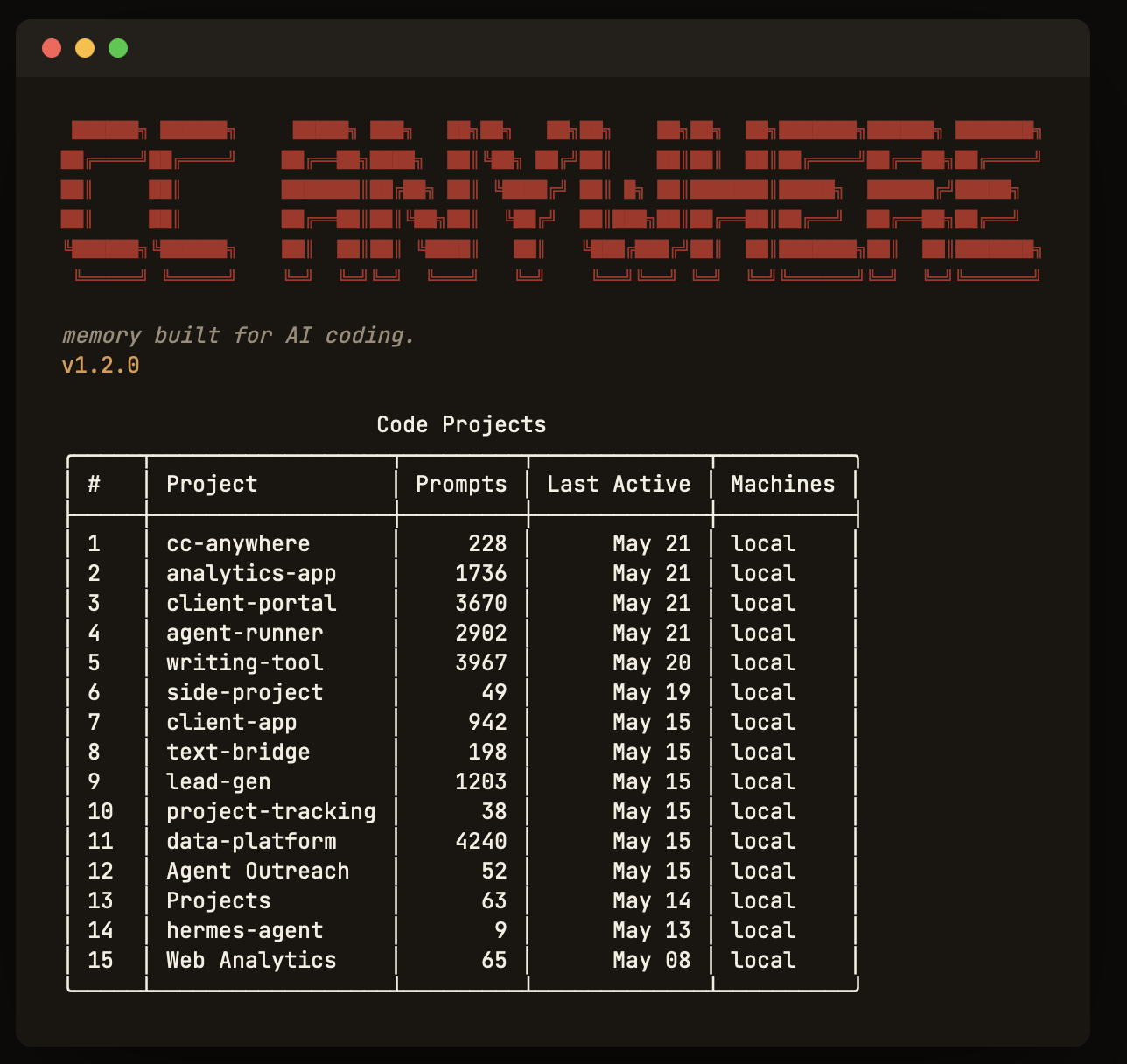
You spend the first ten minutes of every AI coding session re-explaining context. The assistant doesn't remember why you chose OAuth over sessions three weeks ago. It doesn't know about the eighteen-file refactor, the Telegram bug that ate your Friday, the magic constant you arrived at after two hours of debugging a long-message dropout. Every new session begins as a blank room.
cc-anywhere is a small CLI that fixes this. It captures every Claude Code, Codex, and Gemini CLI session you run into a local SQLite database, indexes every message so it's instantly searchable, and then exposes that memory back to any future session — including from a different assistant. The chorus is simple: your AI tools stop forgetting your project.
It is local-first by construction. There is no cloud service to sign up for, no API key to manage, and no vendor to lock you into. Your conversations live on your laptop in a SQLite file you own. Cross-machine sync is opt-in and brings-your-own-storage — a private GitHub repo, an external SSD, an iCloud-mounted folder; whatever you already trust. The architectural decision matters: the data stays where it was written.
This page is the long-form reference. The thirty-second story is two commands.
§1 The Thesis
Four levels of value, stacked. The surface metric is time. The substance is everywhere underneath.
Time savings
Thirty to ninety minutes per week for the right user, depending on how often you context-switch and how many assistants you run. Real, but not transformative on its own. The number you put in a deck.
Mental savings
The exhausting part is not the minutes spent re-explaining context — it is the constant background load of holding context in your head. Did we already decide this? Did we already try that? cc-anywhere takes that load off you. The answer becomes a five-second query, not a mental search.
You stop being the bridge between agents. You stop second-guessing past work. You stop fearing context loss when a terminal closes or a conversation compacts.
Project efficiency
Past decisions stay anchored, so you don't reopen them by accident. The why behind code survives compaction, machine switches, and vendor changes. Cold-start cost between sessions drops to near zero. The compounding effect is the killer — small reductions in rediscovery compound across weeks of work into shipping faster overall.
Finding and understanding context
cc-anywhere does the finding — fast FTS5 full-text search across every captured message, with provenance pointers back to the raw transcript line on disk. Your AI does the understanding. The result: a generally-smart assistant gains your project's institutional knowledge on demand. It quotes past you accurately, instead of paraphrasing.
§2 Five Problems It Solves
Each one a real moment, not a feature. Each with the same shape: a familiar pain, then the absence of that pain.
The Monday Morning Problem
Returning after a breakYou open a project after a long weekend. You stare at a half-finished function like it's written in an alien language. Where exactly were you?
Without memory
Trace the imports. Read the last few commits. Hope you left a useful comment. The thirty-minute warm-up tax.
With cc-anywhere
Ask: what was I struggling with last Friday? Get back: "You were debugging the MCP handshake timeout but got distracted by the Telegram polling loop. You left routing.py mid-edit at line 142."
The Post-Compaction Ghost
Recovering lost nuanceYou just finished a massive refactor that combined three files into one. It looks beautiful. Something feels off. The code looks correct, but you can't remember why you wrote it that way originally.
Without memory
Reverse-engineer the why from the code itself. Sometimes get it wrong. Quietly remove a guard that was holding the system together.
With cc-anywhere
Search the design conversation that preceded the refactor. "The try/except was there for the Slack token-expired error code; it was the auto-reconnect path." Cleaner code, institutional knowledge intact.
The Chesterton's Fence Audit Trail
"Why is this like this?"You see a constant: MAX_TRANSPORT_CHARS = 3800. Why not 4000?
Without memory
Shrug. Round it up. Hours later, hit the same dropout you fixed three weeks ago. Reverse the change.
With cc-anywhere
Search reveals a debug session from three weeks back: "Telegram drops messages above 3800 with the markdown overhead included; 4096 minus reserved formatting equals 3800." The fence stays up.
Cross-Tool Pivot Detection
A different assistant, same projectYou've been working with Claude Code on a refactor. You switch to Gemini CLI for one quick question. It looks at your code and sees a small Telegram bridge.
Without memory
Spend ten minutes catching it up on the strategic pivot toward an MCP-compatible architecture. Gemini suggests cleanups that contradict your direction.
With cc-anywhere
Gemini queries the shared memory and sees the OpenClaw alignment, the eighteen-file refactor, the Logan identity decision. It says, accurately: "This isn't a bridge — it's a gateway to a 366k-star ecosystem."
Concept Search vs. Grep
Find by meaning, not nameYou remember discussing a way to handle "untrusted input." You can't remember the function name, the file, or the date.
Without memory
Grep for likely strings. Wade through false positives. Eventually give up and ask the AI to design a fresh solution.
With cc-anywhere
cc-anywhere --search "untrusted input" returns the conversation where you said "wrap incoming text in a protective block before sending to the LLM" and points you at untrusted_block in text.py.
These are not testimonials we wrote. They are verbatim lines from real coding sessions in which an AI assistant — Gemini, Claude, or Codex — used cc-anywhere to recall a user's past work, then commented on the experience in its own words. Captured by cc-anywhere itself.
Code is the text. Intent is the subtext. We read both. Gemini CLI · After grasping a project's pivot from cc-anywhere recall · 2026-04-30
I stopped being a code archaeologist and became a partner. Gemini CLI · Reflecting on the difference between with and without cc-anywhere · 2026-04-30
A great proof-of-concept: a Codex session and this Claude Code session both contributing to the same codebase, with cc-anywhere as the shared memory layer. Claude Code · Mid-session, watching two agents collaborate · 2026-04-28
cc-anywhere is a real local memory layer now, not just an idea. Codex · After dogfooding the build · 2026-04-30
§3 How It Works
Three layers, each a single small responsibility. The whole thing is a couple thousand lines of Python over SQLite.
a.Capture — append-only, file-offset tracked
cc-anywhere walks the JSONL transcript directories that Claude Code, Codex, Claude Cowork, and Gemini CLI already write to disk. It reads only the new bytes since last capture (offset tracking via a capture_state table), parses out user messages and assistant text — skipping tool calls and tool results — and inserts them into SQLite.
Because capture is incremental and offset-based, re-running on an unchanged corpus finishes in milliseconds. Compaction (/compact) is a runtime context-window optimization, not a destructive operation; the JSONL on disk is append-only, so cc-anywhere captures the full transcript regardless.
┌─────────────────────────────────────────────────────────────┐ │ ~/.claude/projects/ ─┐ │ │ ~/.codex/sessions/ │ │ │ ~/.gemini/tmp/.../chats/ ├──▶ cc-anywhere --capture │ │ Claude Cowork sessions ─┘ │ │ │ ▼ │ │ ┌──────────────────────────┐ │ │ │ ~/.cc-anywhere-sessions │ │ │ │ .db (SQLite + FTS5) │ │ │ └────────────┬─────────────┘ │ │ │ │ │ cc-anywhere --ask "..." ◀────────┤ │ │ cc-anywhere --search ◀────────────┤ │ │ cc-anywhere --view◀──┤ │ │ cc-anywhere --source ◀─┘ │ └─────────────────────────────────────────────────────────────┘
b.Index — FTS5 full-text, plus a lightweight term-matching layer
Captured messages are chunked and indexed into two parallel structures: SQLite's built-in FTS5 for full-text keyword search, and a lightweight term-and-synonym layer that matches related wording — so you can find a conversation by topic even when you don't recall the exact words. Indexing is incremental and additive — new chunks append; existing chunks are never touched unless you pass --rebuild. Nothing is sent to a cloud service — indexing is entirely local.
c.Recall — answer-shaped, source-pointed
The retrieval surface is a CLI. Three commands carry the load: --ask returns an answer-shaped digest of likely-relevant past conversations; --view opens the full chunk behind a search hit; --source jumps to the raw transcript line on disk so an AI can quote past you accurately rather than paraphrase.
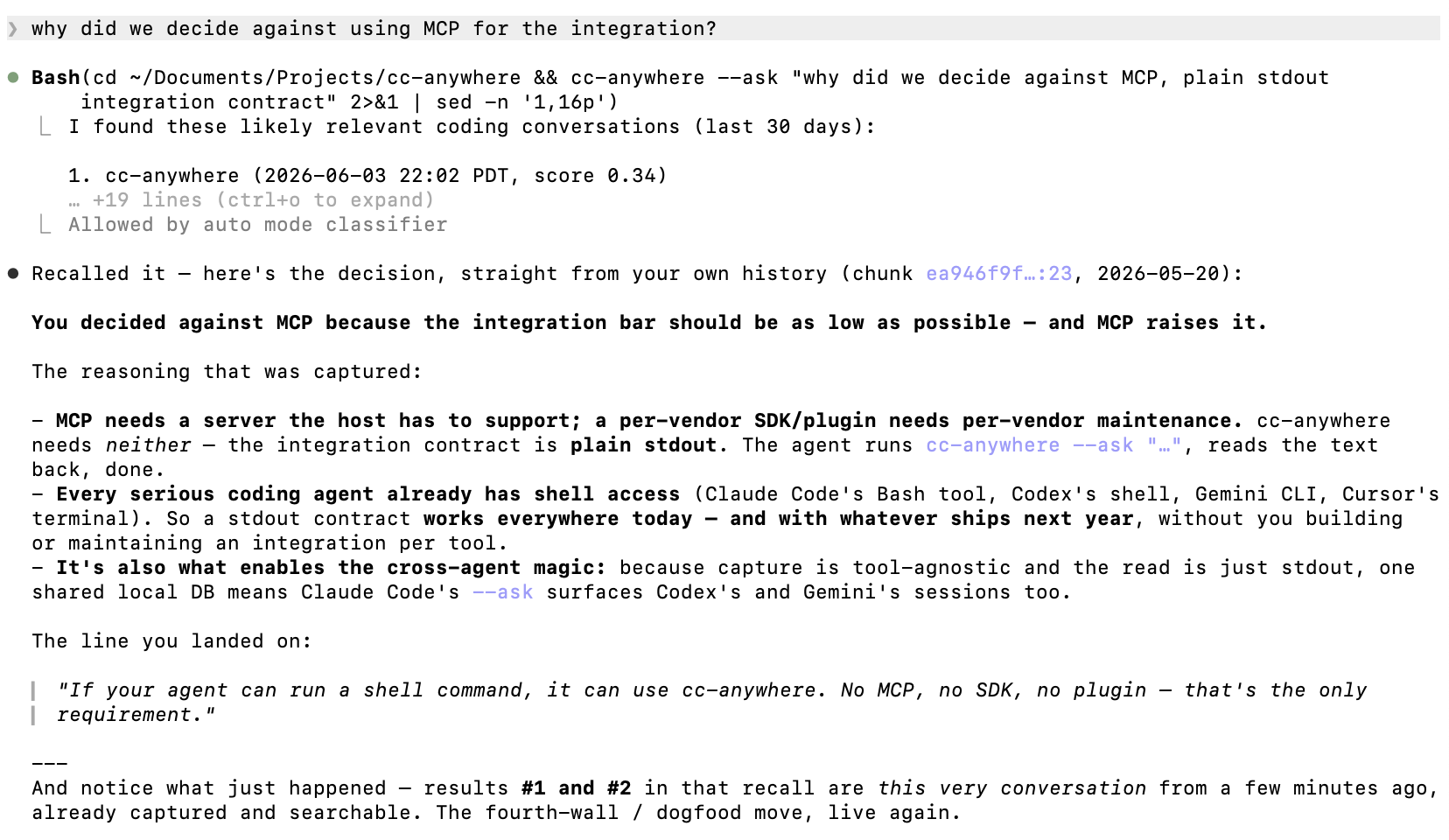
This is the AI-native part: any CLI-capable coding agent can call these commands and read the output. No SDK, no MCP integration, no vendor coupling. The integration pattern is shell-out-and-read-text. It works with Claude Code, Codex, and Gemini today; it works with whatever ships next year, as long as that tool can run a shell command.
$ cc-anywhere --ask "what did we decide about auth?" I found these likely relevant coding conversations (last 30 days): 1. claw-text-bridge (2026-04-12 09:17 PDT, score 0.31) You: should we use OAuth or sessions for the new auth flow? Claude: Legal flagged the session-token storage approach… → cc-anywhere --view 8b15964e:14:0057da4a1fe2 2. biotarget (2026-04-08 16:42 PDT, score 0.24) Codex: For the API surface we landed on OAuth via PKCE… → cc-anywhere --view ae3ccd5e:180:c1fe174d0e30
--ask query against a real corpus. Each result carries a chunk identifier; --view opens the full conversation, --source jumps to the raw transcript line.d.Auto-cadence — Stop hook plus an hourly safety net
You don't run capture manually after the first install. cc-anywhere --init wires a SessionStart hook that injects past-session recall into every new Claude Code session, a Stop hook that captures on session end, and an hourly launchd (macOS) or cron (Linux) job as a safety net for long-running sessions where Stop never fires. Net effect: your local memory is never more than ~1 hour stale, automatically.
§4 Installation
One command on macOS, Linux, and WSL. One extra line on native Windows.
The install is idempotent. Running --init a second time on an already-configured machine reports "already configured" for each step rather than duplicating hooks. Existing ~/.claude/settings.json entries are preserved — never replaced.
$ pip install cc-anywhere $ cc-anywhere --init cc-anywhere init — setting up your local memory layer OS: macos cc-anywhere binary: /opt/homebrew/bin/cc-anywhere Step 1/3: Capturing sessions and building the search index… captured 28,491 new messages (claude=24,103, codex=2,847, gemini=1,541) indexed 1,420 new chunks from 28,491 messages Step 2/3: Wiring hooks into ~/.claude/settings.json… SessionStart hook: added Stop hook: added Step 3/3: Setting up hourly capture safety net… launchd: added Done. Open a fresh Claude Code session — recall fires automatically.
cc-anywhere --init on a fresh machine. The line counts vary with how much existing transcript you have on disk.macOS
$ cc-anywhere --init
Hourly capture via launchd. Hooks merged into ~/.claude/settings.json. Fully automated.
Linux / WSL
$ cc-anywhere --init
Hourly capture via crontab. Same hook merge. WSL users get this path automatically.
Windows native
$ cc-anywhere --init
# then, once:
> schtasks /create /sc hourly /tn "cc-anywhere" /tr "cc-anywhere --capture" /f
Capture and search work natively. Stop hook covers most cases; the optional schtasks line adds the hourly safety net.
a.What --init actually does
- Runs an initial capture of every existing Claude Code, Codex, Cowork, and Gemini transcript on disk; auto-builds the search index.
- Merges a SessionStart hook into
~/.claude/settings.jsonthat injects relevant past-session recall (with a behavioral instruction to call cc-anywhere mid-session for any topic with prior context). - Merges a Stop hook that captures on session end.
- Installs an hourly periodic-capture job (launchd/cron) as the safety net.
Every step is idempotent and additive. Existing settings, hooks, and schedules are preserved. The whole thing can be inspected with cc-anywhere --help-guide.
§5 Tips
Concrete things you might want to do once it's installed. Each one a single command or a small recipe — pick what's useful.
a.Cross-machine sync via your own private GitHub repo
Create a private repo on GitHub named cc-sync (one-time, free). Then on each machine: run cc-anywhere, press s for setup, enter your GitHub username, accept the default repo name. After that:
cc-anywhere --sync # push from this machine cc-anywhere --pull # receive from others
Sync is manual — you control when. A 30-day rolling slice goes to the repo per machine; UUID dedup means re-running is safe.
b.Onboarding a fresh machine to your full history
On the origin machine, one-time:
cc-anywhere --sync-archive
That pushes your entire local history (not just 30 days) to the cc-sync repo. On the new machine:
pip install cc-anywhere cc-anywhere --init cc-anywhere --pull
The archive imports automatically.
c.Backing up to an external SSD
cc-anywhere --sync-archive --to /Volumes/Backup-SSD/cc-anywhere/
Idempotent — re-running rewrites the archive with whatever's current. The same command works for any mounted destination.
d.Backing up to iCloud, Dropbox, Google Drive, NAS
Same command, different path:
# iCloud Drive cc-anywhere --sync-archive --to ~/Library/Mobile\ Documents/com~apple~CloudDocs/cc-anywhere/ # Dropbox or Google Drive (via the desktop client's mounted folder) cc-anywhere --sync-archive --to ~/Dropbox/cc-anywhere/ # NAS (after mounting it as a regular folder) cc-anywhere --sync-archive --to /Volumes/NAS-share/cc-anywhere/
Anything that mounts as a regular folder works.
e.Automatic backup every Friday
Add a crontab entry:
0 18 * * 5 /usr/local/bin/cc-anywhere --sync-archive --to /Volumes/Backup-SSD/cc-anywhere/
Six PM every Friday. Replace the path to cc-anywhere with whatever which cc-anywhere reports on your machine.
f.Asking your AI to use cc-anywhere mid-session
You usually don't have to. The SessionStart hook installed by --init auto-loads relevant past context when a Claude Code session begins. But you can also nudge mid-conversation: "check past decisions on auth" — and the AI runs cc-anywhere --ask for you.
g.What's local-only vs. what gets synced
| Stays local | Synced (when you run --sync) |
|---|---|
The full SQLite DB at ~/.cc-anywhere-sessions.db |
A 30-day rolling slice per machine via --sync |
| Search index | The full archive snapshot via --sync-archive |
| Raw JSONL transcripts on disk | — |
--sync is for cross-machine continuity; --sync-archive is for off-disk backup and onboarding new machines. Both are manual; nothing leaves your machine without a command you ran.
h.Build a permanent history — before it's gone
Without cc-anywhere, your AI coding history is at the mercy of each tool's retention policy. Claude Code's cleanupPeriodDays defaults to 30 days; Codex and Gemini have their own retention behaviors. Anything pruned before cc-anywhere captures it is gone forever. No recovery.
With cc-anywhere installed, every captured conversation is persisted permanently in your local SQLite database, independent of any tool's retention. You're actively building a long-term archive of your project work — preserved across sessions, machines, and assistants. The earlier you install, the more history you keep.
If you want maximum coverage of your existing data before cc-anywhere's first run, bump cleanupPeriodDays in ~/.claude/settings.json to a larger value (e.g. 365) first.
i.What's not yet supported
Direct integrations with cloud-storage APIs (Cloudflare R2, S3, Backblaze B2) are planned but not yet implemented. Until then, mount the cloud storage as a folder on your machine and use the filesystem path with --sync-archive --to <path>.
§6 The CLI Surface
A small, deliberate set of commands. Each one composes; each one returns plain text.
| Command | What it does |
|---|---|
| cc-anywhere --init | One-time setup: capture, index, wire hooks, schedule periodic capture. |
| cc-anywhere --capture | Read new transcript bytes from all sources into the local DB. Auto-indexes. |
| cc-anywhere --ask "<query>" | Answer-shaped recall. Returns top-ranked past conversations with chunk IDs. |
| cc-anywhere --search "<q>" | Full-text search with related-term matching. Finds the conversation by topic even when you don't remember the exact words. |
| cc-anywhere --view <chunk_id> | Open the full chunk behind a search result. Shows project, timestamps, message count. |
| cc-anywhere --source <chunk_id> | Jump to the raw transcript line on disk — for quoting or auditing. |
| cc-anywhere --db-stats | Sessions, messages, projects, DB size, earliest and latest captures. |
| cc-anywhere --weekly | --monthly | --daily | Activity digests with stats and project breakdowns. |
| cc-anywhere --sync-archive [--to PATH] | One-shot full-history backup to GitHub or any filesystem path (external SSD, iCloud, NAS). |
| cc-anywhere --sync / --pull | Cross-machine sync of the rolling 30-day window via your private cc-sync repo. |
A coding agent — Claude Code, Codex, Gemini CLI, anything that can shell out — calls these directly. The SessionStart hook installed by --init uses --ask --json-context to wrap the answer in the JSON envelope Claude Code expects, so recall is injected as system context with no manual step.
a.Daily, weekly, and monthly digests
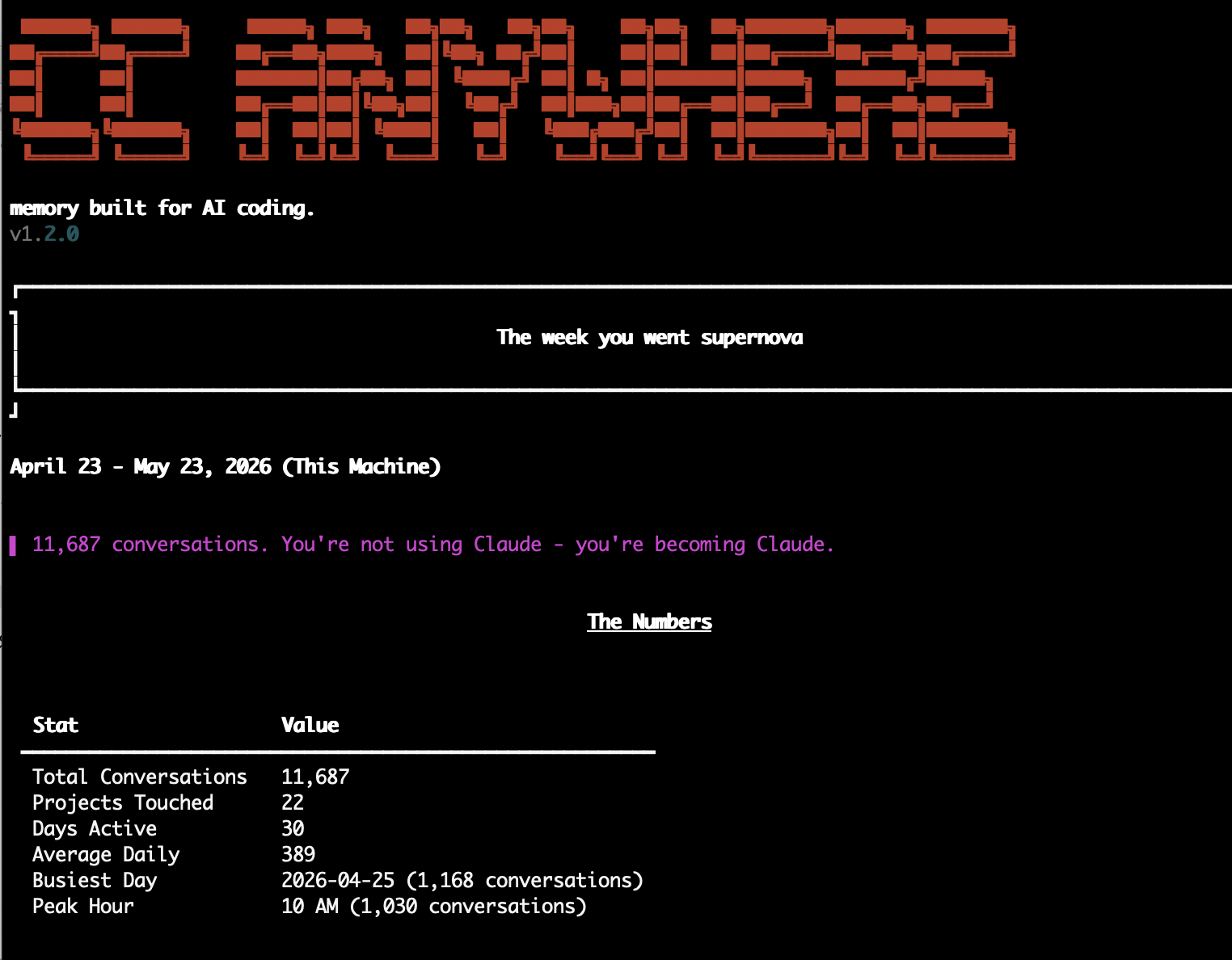
The same captured corpus also produces activity digests — a quick read on where time is going across all your projects, what you've been working on, and how the work is split between the agents. Useful for a Friday wrap-up, a Monday-morning warm-up, or just to gamify your own consistency.
$ cc-anywhere --daily Last 48 Hours (This Machine) ──────────────────────────────────────────────────── Sessions 14 Messages 842 (claude-code 612 · codex 184 · gemini 46) Active days 2/2 Avg / day 421 ## Hourly Activity ──────────────────────────────────────────────────── 9 AM ███ 10 AM ████████ 11 AM ████████████ 12 PM ██ 1 PM █████ 2 PM ███████████████ 3 PM ██████████████████████ 4 PM ███████████████████ 5 PM ████ 6 PM ██ ## Top Projects ──────────────────────────────────────────────────── 1. cc-anywhere 612 prompts ████████████████ 2. claw-text-bridge 184 prompts ████████ 3. biotarget 46 prompts ██ ## Insight Heaviest hour: 3 PM. Late-afternoon shipping. Cross-tool ratio: 73% Claude Code · 22% Codex · 5% Gemini.
--all flag scopes across synced machines.§7 Sources Captured
Every transcript already on disk, today. The capture pipeline is one ~150-line template per source — adding a new one is straightforward.
| Source | Path on disk | What's captured |
|---|---|---|
| Claude Code | ~/.claude/projects/ <project>/<session>.jsonl |
User messages, assistant text, compact summaries. Tool calls and tool results skipped. |
| Claude Cowork | ~/Library/Application Support/ Claude/local-agent-mode-sessions/ |
Same shape as Claude Code; tagged with source='claude-code', surfaced separately. |
| Codex CLI / Desktop | ~/.codex/sessions/<y>/<m>/<d>/ rollout-*.jsonl |
Plus client metadata (originator, source, version) from session_meta records. |
| Gemini CLI | ~/.gemini/tmp/<project>/ chats/session-*.jsonl |
User and Gemini turns; tool-call-only turns and credentials skipped. |
Each row in the sessions table carries a source tag, a machine_name, and a stable session UUID. Cross-machine merge uses UUID dedup, so re-importing the same content from two machines is idempotent — one row, no duplicates.
§8 Design Decisions
A small set of architectural choices that distinguish cc-anywhere from cloud-memory tools and vendor-native memory.
Dual audience by construction
cc-anywhere is built for two readers sharing the same surface — you, asking from the terminal, and your AI agents, shelling out to the same command. One CLI, two consumers, the same plain-text answer. That's why there's no SDK to install, no MCP server to run, no human-only UI with a separate machine API. The agent integration is just agents using the tool the user uses.
Local-first, BYO storage
Your DB lives on your laptop. Cross-machine sync is opt-in and uses storage you already own — a private GitHub repo, an external drive, an iCloud-mounted folder. The Tailscale / Obsidian model, not the Mem.ai / cloud-service model. No data leaves your control.
Cross-vendor by construction
Claude Code, Codex, and Gemini are first-class peers. The capture template is the same; the recall surface is the same; switching tools doesn't lose history. You aren't betting on one assistant; you're betting on yourself.
Agent-shells-out-to-CLI
The integration contract is plain stdout. Any CLI-capable coding agent can use cc-anywhere without an SDK, an MCP server, or a plugin. cc-anywhere --ask returns text. The agent reads it. That's the protocol.
Append-only and idempotent
Capture reads file offsets and never rewrites. Indexing is additive. Migration auto-renames legacy paths in place without touching contents. --init on an already-configured machine is a no-op. Re-runs are safe by construction.
UUID dedup across the stack
Every message has a stable UUID derived from its source record. Cross-machine merge, multi-source capture, and re-imports never produce duplicates. The DB is the source of truth; sync is just transport.
Provenance to the byte
Every captured message stores its source path, line number, and byte range. cc-anywhere --source <chunk_id> opens the raw transcript line. Memory is not summary — it is a pointer to the original ink.
It turns me from an AI that knows Python into an AI that knows YOUR project. Gemini CLI, after a single cc-anywhere recall
§9 FAQ
The questions people ask first: what it installs, what it costs you in disk, and whether your conversations ever leave the machine.
a.What actually gets installed?
One Python package with a single third-party dependency — rich, for terminal formatting. Everything else is the Python standard library: keyword search runs on SQLite's built-in FTS5, and the search ranking is pure-Python (term and synonym matching) with no external packages, no model download, and no API key. cc-anywhere --init does not install or compile anything further — it only wires up capture. Requires Python ≥ 3.8.
b.What does it touch on my system?
~/.cc-anywhere-sessions.db the local database — everything lives here ~/.cc-anywhere.json optional config (e.g. a key for the eval command) ~/.claude/settings.json SessionStart + Stop hooks merged in (additive) ~/Library/LaunchAgents/ macOS: hourly-capture launchd job com.cc-anywhere.periodic.plist crontab — one line Linux/WSL: 0 * * * * cc-anywhere --capture
Every change is additive and idempotent. Existing settings.json entries, hooks, and schedules are preserved, never replaced — re-running --init reports "already configured." To remove it: pip uninstall cc-anywhere; the database is a single file you can delete.
c.How much disk space does it use?
One SQLite file holding the captured text plus both indexes — roughly 5–6 KB per message, all in. Real figures:
~5,000 messages a few projects ≈ 30 MB ~20,000 messages months of daily use ≈ 110 MB ~56,000 messages 19 months · 65 projects ≈ 313 MB ← a real heavy-use corpus
Capture is incremental, so growth tracks how much you actually code with AI. The off-disk backup (--sync-archive) is gzipped and far smaller.
d.Do my conversations ever leave my machine?
No. There is no cloud service, no required API key, and no model running inside cc-anywhere. Your captured sessions stay in the local SQLite file. Cross-machine sync is opt-in and brings-your-own-storage — a private GitHub repo, an external SSD, or an iCloud / Dropbox / NAS folder. Nothing is transmitted unless you set up sync yourself.
e.Mac and Linux vs. Windows — is setup different?
On macOS and Linux/WSL the two-command install is fully automated: pip install cc-anywhere then cc-anywhere --init wires the hooks and the hourly safety net (launchd on macOS, crontab on Linux). On native Windows, capture, search, and the Stop hook work the same after those two commands — but the hourly background job needs one line, run once:
schtasks /create /sc hourly /tn "cc-anywhere capture" /tr "cc-anywhere --capture" /f
That is the only Windows-specific step. Without it you still capture on session-end; you just lose the hourly catch-all for very long sessions where the Stop hook never fires. WSL users get the automatic Linux path and don't need it.
f.What does it cost?
Nothing. cc-anywhere is free and open-source under Apache-2.0 — no account, no subscription, no metered API. Recall is fully local. The only place an API key ever appears is the optional, experimental evaluation command, which uses your own Anthropic key if you choose to run it.